> ## Documentation Index
> Fetch the complete documentation index at: https://blog.pig4cloud.com/llms.txt
> Use this file to discover all available pages before exploring further.
# Spring AI 再进化,支持 MCP 协议
Model Context Protocol (MCP) 是一种开放标准,旨在促进人工智能(AI)系统与各种数据源之间的安全双向连接。它为 AI 应用程序提供了统一的接口,使其能够高效地访问和利用外部数据,从而取代了以往需要为每个数据源定制集成的复杂做法\[1]\[7]\[10]。
[https://modelcontextprotocol.io/docs/concepts/architecture](https://modelcontextprotocol.io/docs/concepts/architecture)
## 是什么?
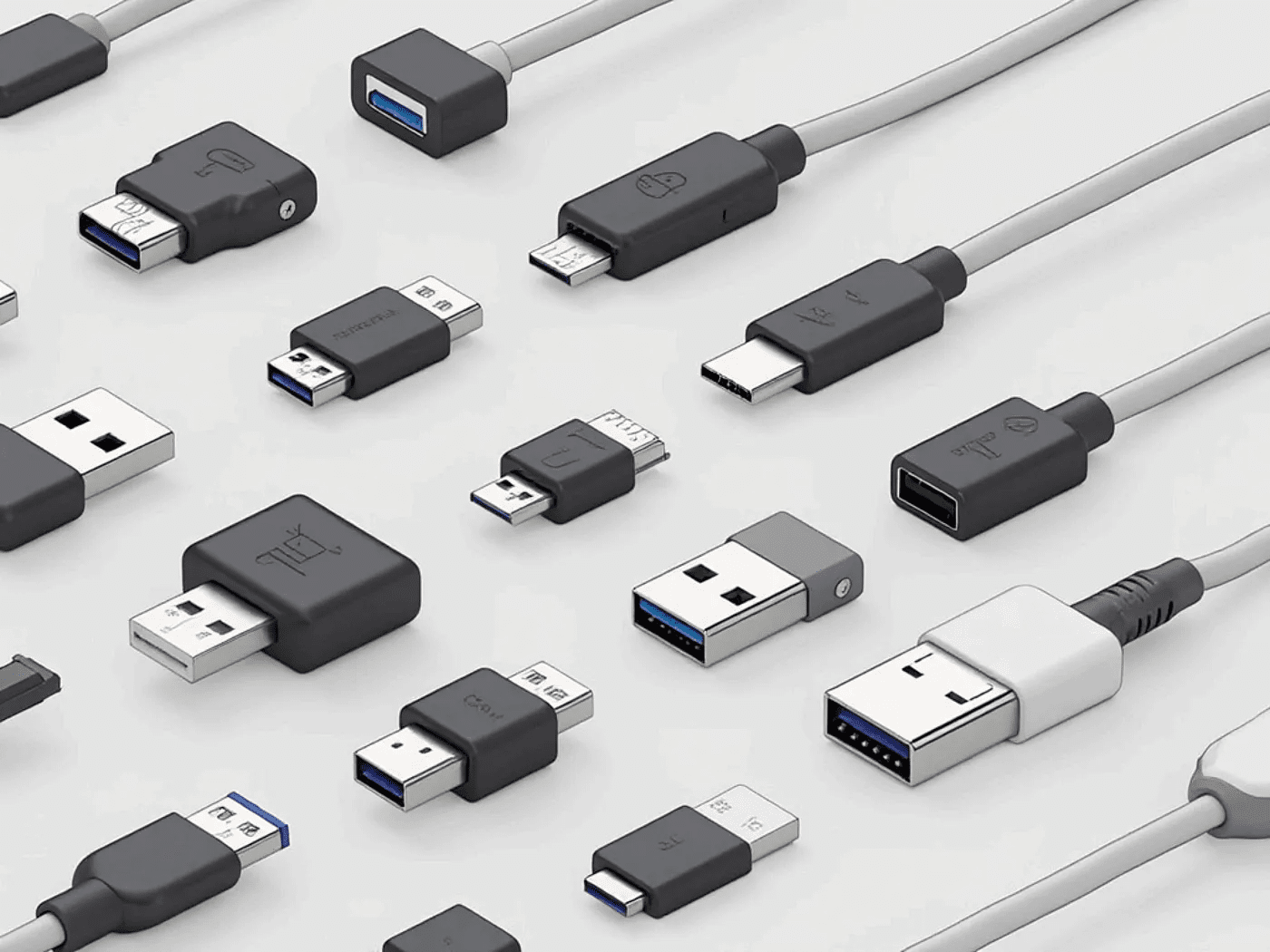
Model Context Protocol(MCP)是由Anthropic推出的一项开放协议,旨在促进大型语言模型(LLM)与外部数据源之间的无缝集成。MCP通过提供一个标准化的客户端-服务器架构,使得不同的AI应用能够高效地访问和共享本地及远程资源,从而解决了数据孤岛问题。
MCP 协议让开发者能够以统一的方式,连接各种本地或远程资源。
## 统一标准:
开发者只需要针对 MCP 进行一次开发,就能够实现与各种数据来源的对接,免去为每个数据源编写单独连接器的麻烦,从而大幅减少开发和维护的成本。
### 支持多种数据格式
MCP 能够处理各种不同的数据,包括结构化数据(如数据库)和非结构化数据(如文本或影像),这使得开发者可以在不考虑数据格式的情况下,轻松地将不同来源的资料整合到一起。
### 无缝整合
开发者可以在一个统一的界面中,从多个来源同时获取并操作数据。例如,MCP 让你可以在语言模型的聊天界面中,直接访问 GitHub、Google Drive 等资源,让团队协作更加流畅,提升工作流程效率。
## 和 function calling 的区别
MCP(多协议通信)提供了一种灵活且高效的数据交换机制,支持跨系统的通信和数据交换。它通过协议标准化,简化了分布式系统的开发,并有效降低了长期生态开发的成本,实现了数据共享和上下文协同等高级功能。
相较之下,Function Calling 主要适用于简单任务,且与具体的 AI 应用紧密绑定。**在实际应用中,Function Calling 一旦设计完毕,通常很难在其他业务场景中复用。而 MCP 的设计初衷是为了应对跨系统、跨工具的复杂场景,它着重解决了复用性和系统间交互的问题,使得数据和功能能够在不同系统间灵活传递,从而提升了系统的整体协同效率。**
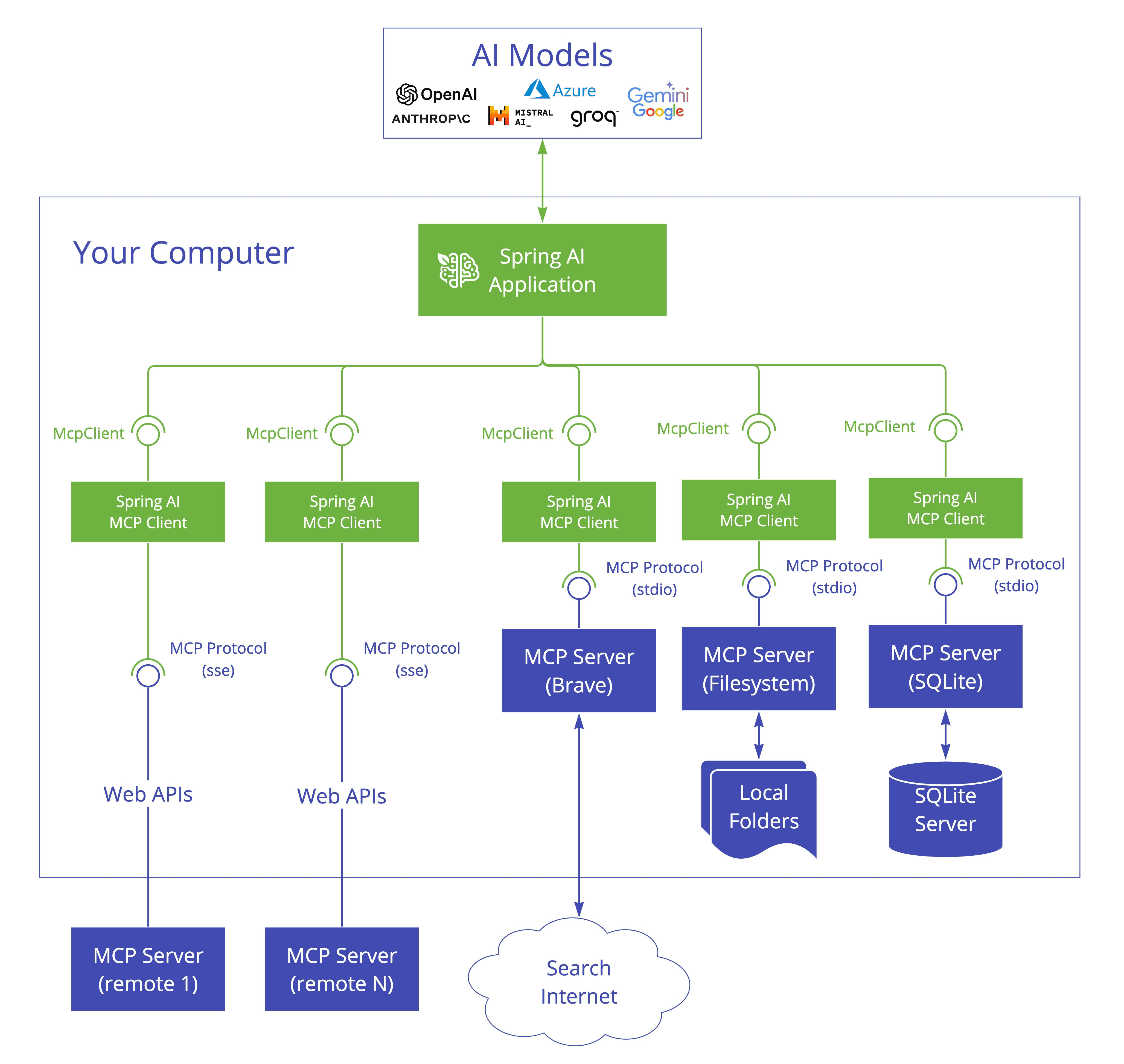
## Spring AI MCP
### 添加依赖
```xml theme={null}
org.springframework.ai
spring-ai-bom
1.0.0-M5
pom
import
org.springframework.boot
spring-boot-starter
org.springframework.ai
spring-ai-openai-spring-boot-starter
org.springframework.experimental
spring-ai-mcp
0.4.1
```
### 增加配置
* application.properties
```
spring.ai.openai.base-url=https://api.openai-hk.com
spring.ai.openai.api-key=XXX
```
### MCP Client 实现
业务目标,让 MCP 直接加载当前公众号推文,让大模型提出修改意见
```java theme={null}
@Bean
public CommandLineRunner predefinedQuestions(ChatClient.Builder chatClientBuilder,
List functionCallbacks, ConfigurableApplicationContext context) {
return args -> {
var chatClient = chatClientBuilder
.defaultFunctions(functionCallbacks.toArray(new McpFunctionCallback[0]))
.build();
String question1 = "mcp.txt 这篇文档有什么建议吗?方便公众号传播推广";
System.out.println("ASSISTANT: " + chatClient.prompt(question1).call().content());
context.close();
};
}
@Bean
public List functionCallbacks(McpSyncClient mcpClient) {
return mcpClient.listTools(null)
.tools()
.stream()
.map(tool -> new McpFunctionCallback(mcpClient, tool))
.toList();
}
@Bean(destroyMethod = "close")
public McpSyncClient mcpClient() {
var stdioParams = ServerParameters.builder("npx")
.args("-y", "@modelcontextprotocol/server-filesystem", getDbPath())
.build();
var mcpClient = McpClient.using(new StdioClientTransport(stdioParams))
.requestTimeout(Duration.ofSeconds(10)).sync();
var init = mcpClient.initialize();
System.out.println("MCP Initialized: " + init);
return mcpClient;
}
private static String getDbPath() {
return Paths.get(System.getProperty("user.dir"), "target").toString();
}
```
## 测试执行
运行以下命令来启动Spring Boot应用,测试MCP功能:
```
mvn springboot:run
```